



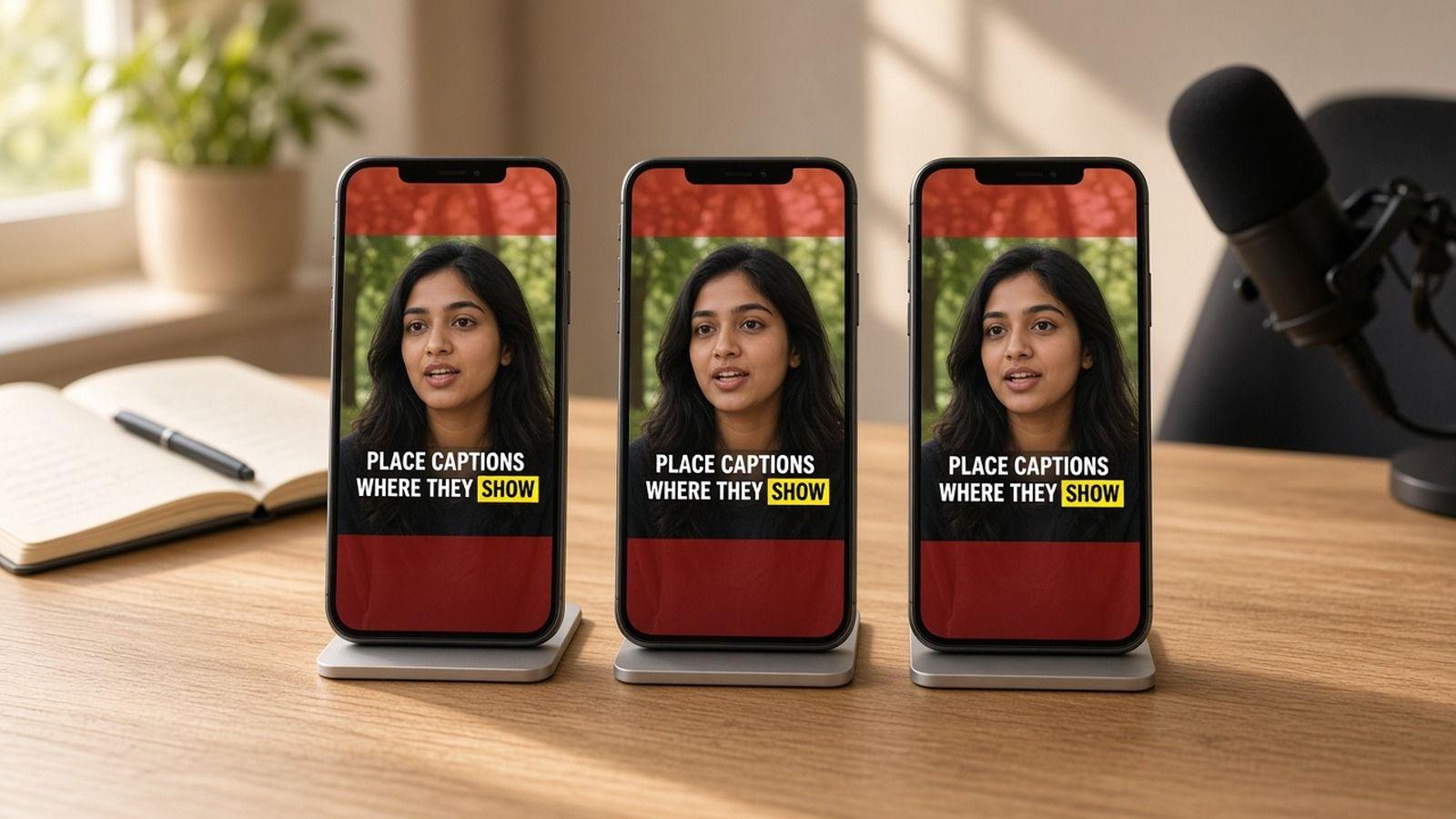
Caption Safe Zones for Reels, TikTok, and Shorts
Where to place captions on Reels, TikTok, and Shorts so app buttons and text never cover them, with what Meta and TikTok publish and a pre-post checklist.
Caption your next video free

Amina Qureshi
Caption Safe Zones for Reels, TikTok, and Shorts
A caption safe zone is the part of a vertical video that the app's buttons, username, and post text don't cover. Put your captions there and every viewer can read them. Put them at the bottom, where TV subtitles usually live, and they end up under your handle and description.
This guide shows where to place captions on 9:16 short-form video. It also covers what the platforms actually publish and how to check a caption safe zone before you post.
Key Takeaways
- On Reels, TikTok, and Shorts, app buttons and text cover the bottom and the right edge. Keep captions out of both.
- The safest home for burned-in captions is the lower middle of the frame, centered, with extra room on the right.
- Meta's Reels ads guidance: keep at least 14% of the top, 35% of the bottom, and 6% of each side clear. Treat it as a cautious rule.
- TikTok says its safe zone changes with caption length. Test the real post on a phone instead of trusting one pixel chart.
- One placement inside the shared safe zone lets you export once and post to all three apps.
What covers your captions on each app
Every short-form app draws its own interface over your video. The layout differs a little, but the pattern is the same on all three.
- Bottom band: your username, the post caption, hashtags, audio or sound info, and on some posts a follow or subscribe button.
- Right column: like, comment, share, save, and remix buttons, stacked from about the middle of the screen down.
- Top strip: tabs, search, and the camera or menu icons.
The bottom band is the big one. A long post description pushes text higher, so the covered area grows when you write more. That is why captions placed in the traditional subtitle position so often end up hidden behind your own handle.
What the platforms actually publish
It helps to know which numbers are official and which are someone's measurement.
Instagram Reels. Meta's ads guide for Instagram Reels video gives clear numbers. It says to "consider leaving at least 14% of the top, 35% of the bottom, and 6% on each side" free of text and key elements (Meta Ads Guide, checked Nov 2026). That guidance is written for ads, which carry an extra call-to-action button. For organic Reels it is a safe, slightly cautious box.
TikTok. TikTok doesn't give one number. Its in-feed ads page says "the safe zone size is determined by the dimension (vertical, horizontal, or square), ad caption length, and any additional formats used." It offers downloadable template files instead (TikTok Ads Help, checked Nov 2026). In plain terms: the more you write in the post caption, the less room your burned-in captions get.
YouTube Shorts. We could not find a single official pixel safe zone for organic Shorts in YouTube's help pages. Plan for the same pattern as the other two apps. Expect a title and channel row at the bottom and action buttons down the right.
So if a chart shows an exact "official" pixel box for every app, treat it as that site's measurement. The pattern is reliable. The exact pixels move whenever an app updates its layout.
Where to put captions on 9:16 video
You don't need a different position for each app. One placement clears all three if you follow a few rules.
1. Keep captions out of the bottom third
The bottom of the frame is where every app prints your account details and description. If you follow Meta's 35% bottom guidance, your lowest caption line sits roughly two thirds of the way down the frame. That clears the bottom band on all three apps with room to spare.
2. Aim for the lower middle
The lower middle of the frame is the sweet spot for most videos. It sits below the speaker's face in a talking-head shot, so the eye doesn't travel far between mouth and words. It also stays clear of the top tabs and the bottom text.
Sometimes the lower middle covers something important, like a product or on-screen text. Move the caption for that shot. Readability beats a fixed position.
3. Center the text and leave room on the right
Center-aligned captions are easier to keep clear of the right-hand buttons. Stop your lines well before the right edge, and keep at least the 6% side margin Meta suggests on both sides. Meta's guide also warns that elements near the edges can get cut off on phones with taller screens. A little extra space helps.
4. Keep it to one or two short lines
Short phrases fit inside the safe zone even in big type. Two lines is a sensible maximum on a phone. Word-by-word or short-phrase captions are even easier, because they take up less vertical space. Our guide to word-by-word captions for Reels, TikTok, and Shorts covers that style in detail.
5. Make the text readable on any background
A safe position doesn't help if the text disappears into the footage. Use a bold face, a solid outline or shadow, or a background box when the scene is busy. Our caption styles guide compares clean, bold, boxed, and highlight looks for muted phones.
A quick safe zone checklist before you post
Run this check on the exported file, not just the editor preview.
- Scrub the whole video. Look for any caption that drops into the bottom band or touches the right edge.
- Write the real post caption first. A long description changes how much of the bottom gets covered, especially on TikTok.
- Preview inside the app. Upload as a draft or private post and watch it on your phone with the interface showing.
- Check the longest line. The longest caption is the one most likely to hit the side buttons.
- Check faces and key visuals. Captions shouldn't cover the speaker's mouth, a product, or a text overlay that matters.
- Test on a small phone if you can. A layout that clears on a large screen can feel cramped on a smaller one.
If you also use the app's own captions, turn them off for videos that already have burned-in text. Otherwise viewers can end up with two sets of words on screen. Our post on app captions versus captions saved in the video file explains when each one fits.
Common placement mistakes
- Copying TV subtitle position. Bottom-of-frame subtitles work on a TV. On short-form apps they sit under your username.
- Long sentences across the full width. Wide lines run into the right-hand buttons and wrap into three or four rows.
- One position for every shot. If a caption covers the key visual in one scene, move it for that scene.
- Trusting the editor preview alone. Most editors don't draw the app's interface on top, so always check the real post.
How to place captions in the safe zone with AutoCaption
AutoCaption is a browser caption studio built for short-form. It gives you word-timed captions and lets you place them before you export.
- Upload your clip on the AutoCaption homepage. Guests can start captioning without signing in.
- Let the captions generate. Words come back timed to speech. Fix any word, split a long line, or nudge timing.
- Turn on the safe-zone guides. The editor has safe-zone overlays for TikTok, Instagram Reels, and YouTube Shorts. They show where the app interface will sit.
- Drag your captions on the preview into the clear area, then pick a style and font that reads on a phone.
- Export. Burn the captions into the video for Reels and Shorts. Or download an SRT or VTT file if your editor needs one. Exports have no watermark.
Export needs a free account. Verify your email and you get 100 monthly credits to caption with. You can see what each plan includes on the pricing page.
FAQ
What is a caption safe zone?
It's the area of a video frame that the app's buttons, username, and post text don't cover. Captions inside it stay readable for every viewer.
Where should captions go on Instagram Reels?
Keep them out of the bottom band and away from the right edge. The lower middle of the frame, centered, works for most Reels. Meta's ads guidance suggests clearing roughly the bottom 35% of the frame.
Is the TikTok safe zone the same as Reels?
The pattern is similar: text at the bottom and buttons on the right. TikTok says the exact safe zone depends on the video size and your post caption length. Check your real post on a phone.
Can I use one caption position for Reels, TikTok, and Shorts?
Yes. Centered captions in the lower middle of the frame, with room on the right, clear all three apps in most cases. That lets you export once and post everywhere.
Ready to place your captions where people can actually read them? Upload your next clip and turn on the safe-zone guides before you export.
Written by
Amina Qureshi
Motion and Style Designer at AutoCaption. Builds readable caption looks for Reels, TikTok, and Shorts.
More topics you may like
Caption Styles
SDH Subtitles Explained: Meaning & Guide · AutoCaption

Sara Malik

Caption Styles
How to Label Audio & Speakers in Subtitles · AutoCaption
Sara Malik

Caption Styles
How to Format Subtitles: Professional Guide · AutoCaption
Sara Malik

Caption Styles
Subtitle Line Length and Reading Speed: Practical Guidelines
Sara Malik

Caption Styles
How to Caption Videos for Accessibility
Sara Malik

Caption Styles
Closed Captions vs Open Captions: Which Format Should You Use?
Amina Qureshi